OttoTraderWindows Strategy Workstation
Platform

One account. Three surfaces. One local-first trading workflow.

OttoTrader combines a Windows desktop workstation, a backend account and entitlement layer, and a website companion for downloads, billing, marketplace, tutorials, and Remote Trading Center access.

Desktop workstation

Build strategies, connect supported exchange contexts, store supported credentials locally, run backtests, monitor positions, and operate Demo or Live Real strategy sessions.

Website companion

Create your account, manage security and billing, download the desktop app, browse the marketplace, access Seller Studio, read tutorials, and use Remote Trading Center.

Backend/API

Keeps account state, plans, trials, marketplace ownership, seller state, update manifests, RTC command records, backups, and Market Pulse data as backend truth.

Surface boundaries

Clear boundaries reduce ambiguity.

Website actions should not pretend to be direct exchange execution. Desktop actions should preserve local credential control, strategy context, and live/demo separation.

Supported exchange contexts

The desktop exchange matrix currently includes Binance, BingX, Bybit, Bitget, KuCoin, MEXC, Kraken, and Coinbase Advanced Trade. Availability may vary by market type, region, account permissions, exchange behavior, and OttoTrader release. Always treat the current desktop connection card, exchange-specific warnings, and validation state as authoritative.

Bounded website role

The website handles account, billing, downloads, marketplace, seller workflows, tutorials, Market Pulse, and guarded RTC command records. It does not hold exchange API secrets or execute trades directly.

Validation inside platform

Testing stays close to the strategy.

Scan the main testing tools quickly, then open the deeper checklist when you want the fuller research story.

Strategy validation

Use train/test splits, rolling validation, bounded walk-forward windows, Monte Carlo paths, robustness checks, and overfit warnings where supported.

Buyer-safe Public Reports

Public Reports are marketplace-facing and non-importable. They preserve evidence while omitting protected strategy internals and reconstruction data.

Lookahead audit

Use the lookahead audit to catch signals that accidentally rely on future information before they reach a demo, live, or marketplace workflow.

Private Full Reports

Full Reports are private review and retest artifacts. They may include importable context and must not be exposed publicly.

Backtesting realism

Model fees, slippage, spread, partial-fill assumptions, funding, liquidation behavior, and exchange-dependent limitations where supported.

Grounded AI

AI helps you move faster without hiding the validation step.

The AI layer drafts and explains strategy ideas while the builder, Code tab, and local tests keep the result accountable.

Turn ideas into drafts

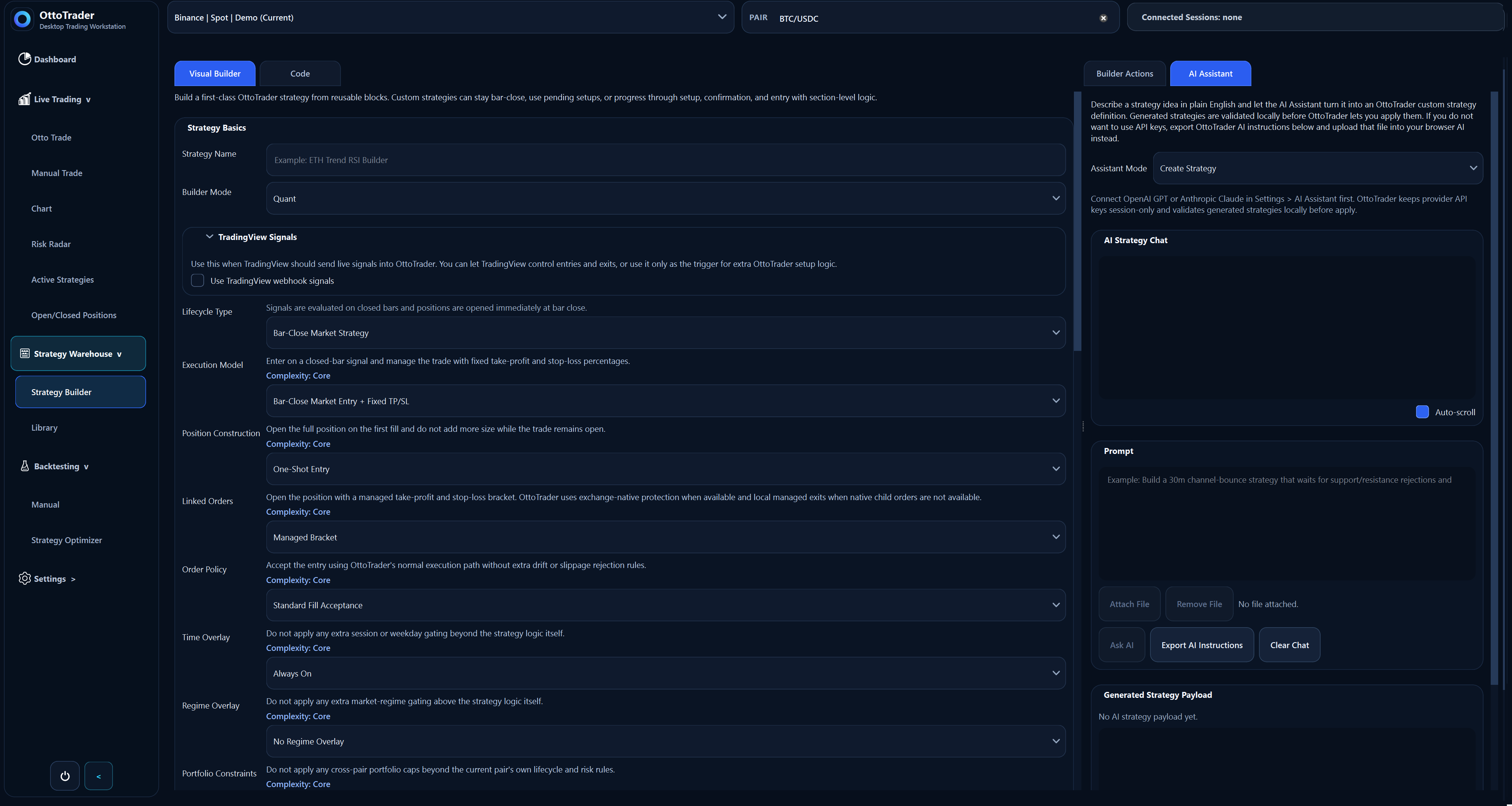
Describe a setup in plain English and let the AI Assistant draft OttoTrader strategy JSON you can review and validate locally.

Revise and understand logic

Ask the assistant to refine strategy rules, compare alternatives, or explain the tradeoffs before you apply changes.

Export browser-AI instructions

Prefer not to connect provider keys? Export OttoTrader instructions and a priming prompt, use them in a browser AI session, then bring validated JSON back into Strategy Warehouse.

Expandable detail

Open the deeper layers only when you need them.

The platform stays easy to scan first and still gives serious traders the detail that matters.

Open the testing layer

Testing is part of the core product, not a side page. OttoTrader makes confidence harder to fake before anything reaches live capital.

  • Train/test, rolling validation, and bounded walk-forward windows with explicit score basis
  • Monte Carlo robustness paths, smoothness/risk-adjusted scoring, and overfit-warning evidence
  • Lookahead audit before demo, live, or marketplace use
  • Sensitivity, nearby pass-rate inspection, and robustness scoring where supported
  • Portfolio-style research for shared capital and overlapping exposure pressure
  • Full Reports for private retest/review and Public Reports for buyer-safe disclosure
  • Fees, slippage, spread, funding, liquidation, and realism assumptions shown in reports where supported
Open the AI boundaries

AI helps you draft and explain. OttoTrader still sends the result back into builder rules and local tests instead of treating AI confidence as proof.

  • Grounded in OttoTrader's real builder and testing tools
  • Useful for drafting, revising, and explaining strategy logic before you apply changes
  • Still requires product rules and local testing before trust
  • Bring-your-own-model billing keeps AI usage transparent
Why OttoTrader

Most tools sell automation. OttoTrader helps you understand what you are operating.

Typical tool

Many hosted trading tools sell automation first.

OttoTrader

OttoTrader starts with a desktop strategy workstation for building, validation, monitoring, and controlled operation.

Typical tool

Many AI trading tools blur idea generation, signal claims, and execution.

OttoTrader

OttoTrader treats AI output as a reviewable draft that must match product rules and pass local validation.

Typical tool

Many backtesting pages stop at one attractive equity curve.

OttoTrader

OttoTrader keeps the research story visible: validation windows, sensitivity checks, realistic assumptions, reports, and live risk state.

Workflow

A clear path from idea to monitored operation.

Build the strategy, test it properly, use AI where it saves time, then keep the same logic in view when you run it in Demo or Live Real.

01

Build

Create strategies in Strategy Warehouse using the Visual Builder, Code Builder, imported OttoTrader JSON, or AI-assisted workflows.

02

Validate

Run manual backtests or broader automation research with fee, slippage, spread, funding, liquidation, Monte Carlo, walk-forward, and overfit assumptions where supported.

03

Operate

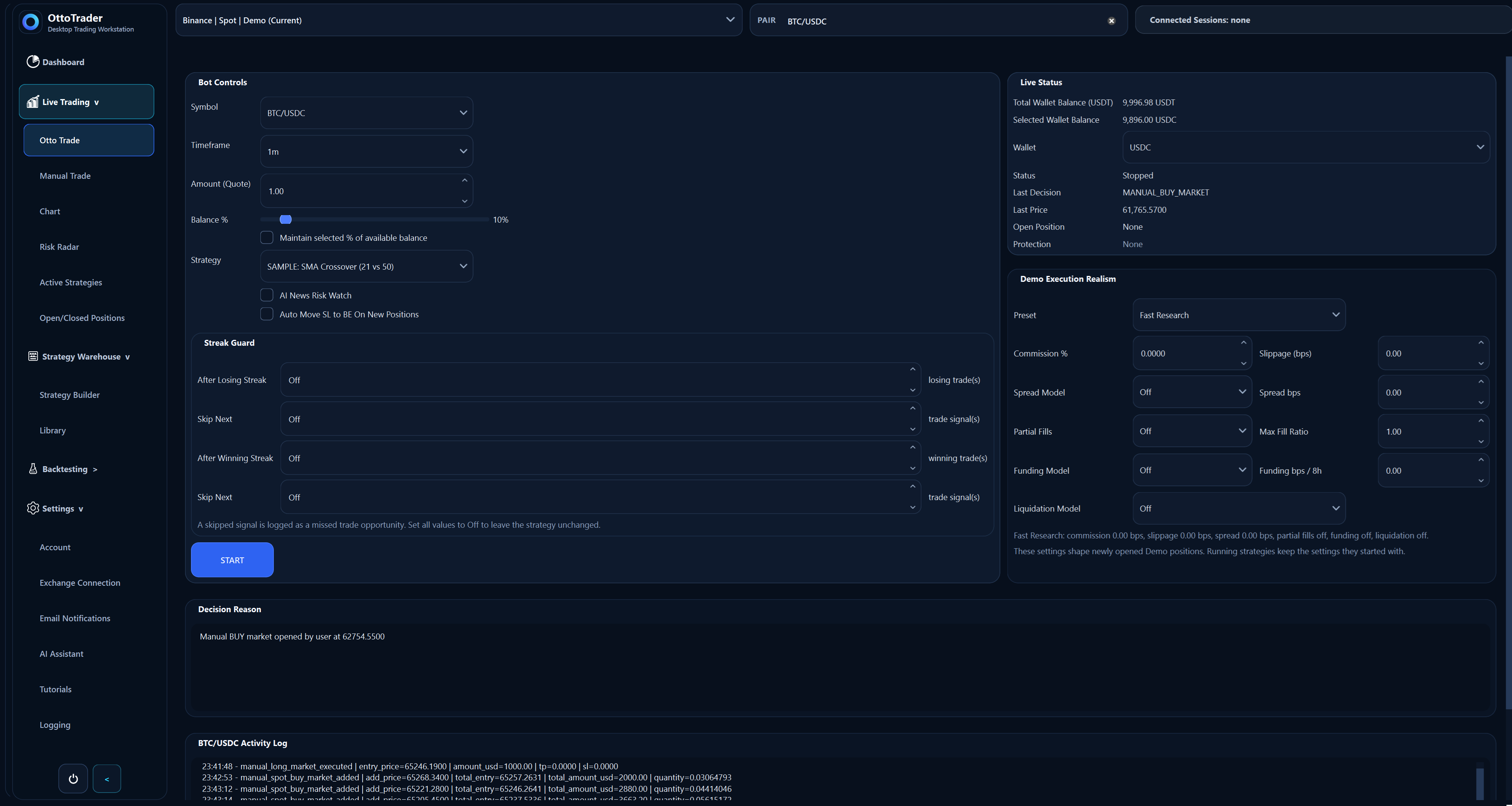
Use the desktop Live Trading workspace for Trade Setup, Chart, Active Strategies, Open/Closed Positions, and Demo or Live Real execution contexts.

04

Monitor

Use Dashboard and Remote Trading Center to review state, freshness, risk, and guarded commands while the desktop remains the final validator and executor.

Live control

Live trading stays connected to the research.

Carry the same strategy logic into demo or live trading instead of handing execution to a disconnected website or hosted account service.

Pause, resume, or stop strategies while keeping exchange, market type, mode, pair, and protection status visible.

Move stops to break-even, adjust protection where supported, and manage open positions without losing runtime context.

Keep Demo and Live Real workflows clearly separated in the Windows desktop app.

Next step

Download the desktop app when you are ready to build and validate.

The desktop app is where strategy building, backtesting, reports, exchange contexts, and Demo or Live Real controls come together.