OttoTraderWindows Strategy Workstation
Launch offer

First 100 confirmed accounts get 1 year of Creator free.

Create your account, confirm your email, and OttoTrader applies the launch offer while spots remain after email confirmation.

Launch availability67 of 100 Creator launch spots remain.Claimed only after email confirmation.

A Windows trading workstation for strategy validation and controlled execution.

Build or import crypto trading strategies, test them with realistic assumptions, monitor demo or live runtime state, and keep execution under your desktop's control. OttoTrader is self-directed software, not a brokerage, custodian, copy-trading service, or investment adviser.

Operational posture

OttoTrader gives self-directed traders a structured strategy lab, runtime monitor, and desktop execution workstation without turning the website into a browser trading engine.

Validation-first

Backtesting with realism assumptions, walk-forward checks, Monte Carlo, and lookahead audit where supported.

Local-first

Exchange credentials and final execution validation stay in the Windows desktop app.

Strategy builder

Build strategies with explicit rules, not vague automation settings.

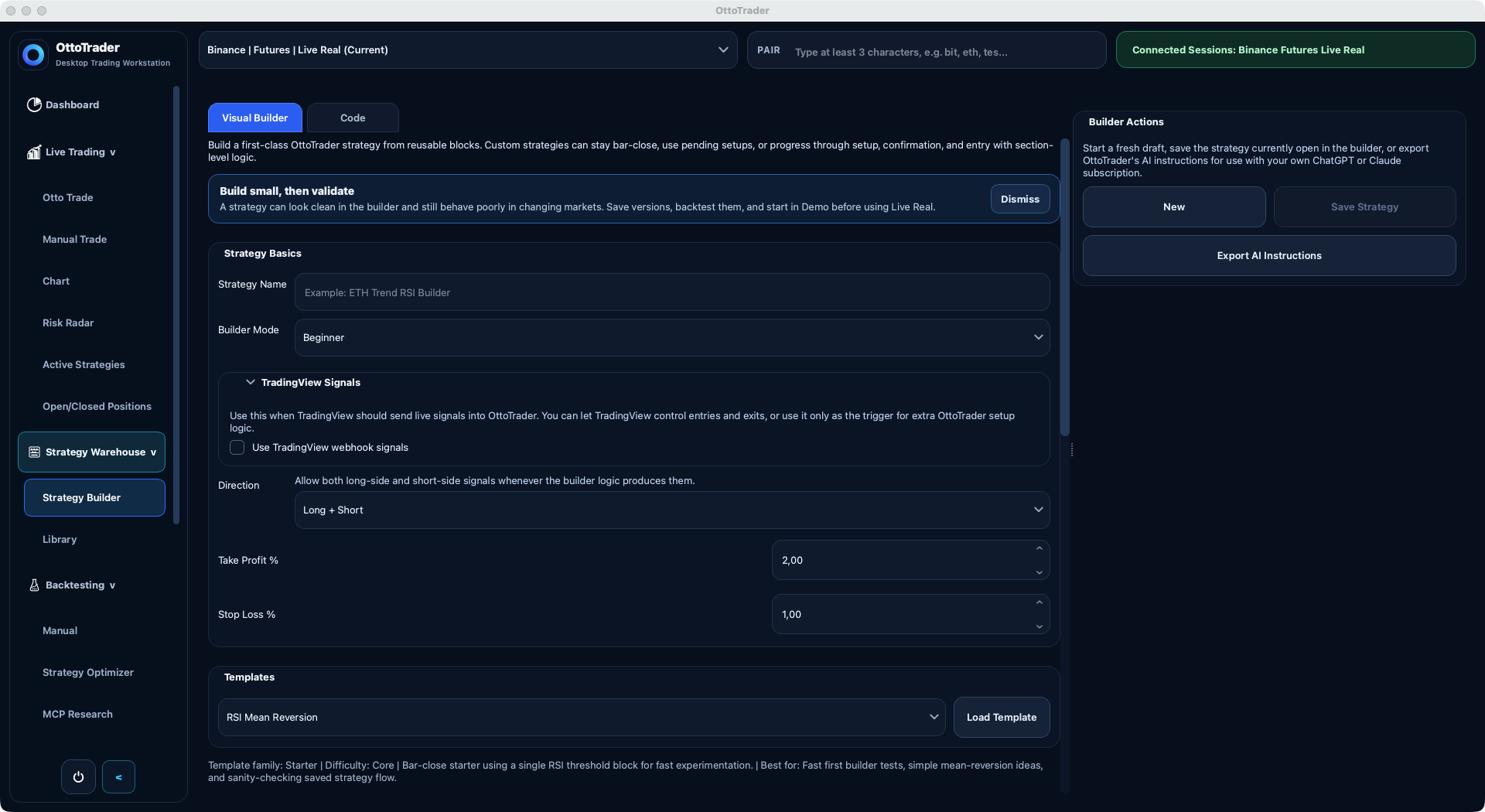
Use the Windows desktop builder to define entries, exits, add-ons, time filters, market filters, and portfolio limits while keeping the strategy reviewable.

Builder example

ETH Trend Builder

  • Lifecycle: breakout setup -> confirmation -> stop entry
  • Exit model: TP1 runner with break-even protection
  • Overlay: weekday session filter + higher-timeframe EMA bias

Execution setup

Order modelStop-limit
Position constructionAdd-on enabled
Risk controlPortfolio capped

Why it matters

  • You can express serious strategy behavior without writing code for every edge case.
  • The same strategy can be validated, reported, revised with AI, and operated in Demo or Live Real.
Validation and trust

See what holds up before you put a strategy anywhere near live capital.

Desktop testing is built to pressure-test strategy behavior, reveal assumptions, and show where a strategy is fragile instead of hiding behind one headline number.

Validation stack

Walk-forward score0.71
Lookahead auditClean
Nearby pass rate68%

Research checks

  • Manual and automated backtesting with clear explanations
  • HTML report export with realism assumptions, validation notes, and event trails
  • Clear evidence for why a strategy passed or broke

What traders want

  • A strategy lab should help you reject weak ideas early, not dress them up.
  • OttoTrader keeps strategy logic, test results, and report language aligned so the result is easier to review.
AI and live control

Use AI to draft faster, then keep desktop control when the strategy is running.

The desktop AI Assistant can turn plain-English strategy ideas into validated drafts, and live controls let you pause, resume, stop, adjust protection, and manage open positions.

AI assistant

User

Turn this into a channel-bounce strategy with stricter validation and a safer runner exit.

AI

Drafted OttoTrader strategy JSON, added confirmation logic, improved the exit model, and flagged assumptions before validation.

Live controls

Pause or resumePer strategy
Protection editsManual override
Open-position handlingTracked separately

Control edge

  • You can stop automation without losing track of the open position.
  • The desktop app stays focused on strategy work and trading control while the website handles accounts, billing, marketplace, and RTC companion flows.
Windows-first desktop app

The desktop is the main strategy, backtesting, exchange-context, and execution-control surface.

Local exchange credentials

Exchange API keys stay in the desktop app; the website does not collect exchange secrets.

Demo and Live Real separated

Users choose their own exchange contexts, risk settings, and live deployment decisions.

Protected marketplace delivery

Buyer-safe Public Reports and ownership flows support strategy software without exposing protected internals.

What OttoTrader is

Strategy research, validation, and operations in one local-first workflow.

OttoTrader gives self-directed traders a structured place to turn trading ideas into strategies, test assumptions, review risk, monitor runtime state, and operate from a desktop workstation. The website handles account, billing, downloads, marketplace, tutorials, and Remote Trading Center access; the desktop app handles strategy work, exchange connections, backtesting, and execution.

What it is

A Windows-first desktop trading workstation and platform for strategy research, validation, protected strategy delivery, runtime monitoring, and controlled self-directed operation.

What OttoTrader is not
  • Not investment, financial, tax, or legal advice
  • Not a brokerage or custodian
  • Not managed trading or copy trading
  • Not a guaranteed-profit or passive-income system
  • Not a browser trading engine

Trading is risky. Backtests are hypothetical. Users choose and control their own strategies, exchange accounts, risk settings, and live deployment decisions.

Core pillars

A trader's workstation, not fantasy signals

Open the areas that matter to you. Each pillar describes how the desktop app, website companion, and protected marketplace support a validation-first workflow.

Windows desktop workstation

Use the desktop app as the main trading product for strategy construction, local exchange contexts, AI keys, backtesting, Demo, and Live Real operation.

Visual crypto strategy builder

Create strategy rules with structured building blocks, Code Builder JSON, imported OttoTrader files, or AI-assisted workflows.

Crypto strategy backtesting

Run historical tests, inspect trades, and export reports that explain metrics, costs, assumptions, validation checks, and limitations.

Validation-first strategy lab

Pressure-test ideas for lookahead risk, fragile assumptions, walk-forward behavior, fees, slippage, spread, funding, and drawdown reality where supported.

AI trading strategy builder

Use provider API keys or exported browser-AI instructions to draft and revise logic, then validate generated JSON locally before applying it.

Automation research

Explore parameter combinations, pairs, and timeframes while OttoTrader keeps ranked candidates, reports, and warnings visible when your plan allows it.

Local execution control

Move from research into Demo or Live Real operation with pause, resume, stop, protection checks, and position actions built for operators.

Security-conscious workflow

Keep exchange keys and execution in the desktop app, use website MFA for account access, and avoid withdrawal-enabled API keys.

Protected strategy marketplace

Buy or publish strategy software with ownership records, buyer-safe Public Reports, protected delivery, and desktop sync tied to the buyer account.

Remote Trading Center companion

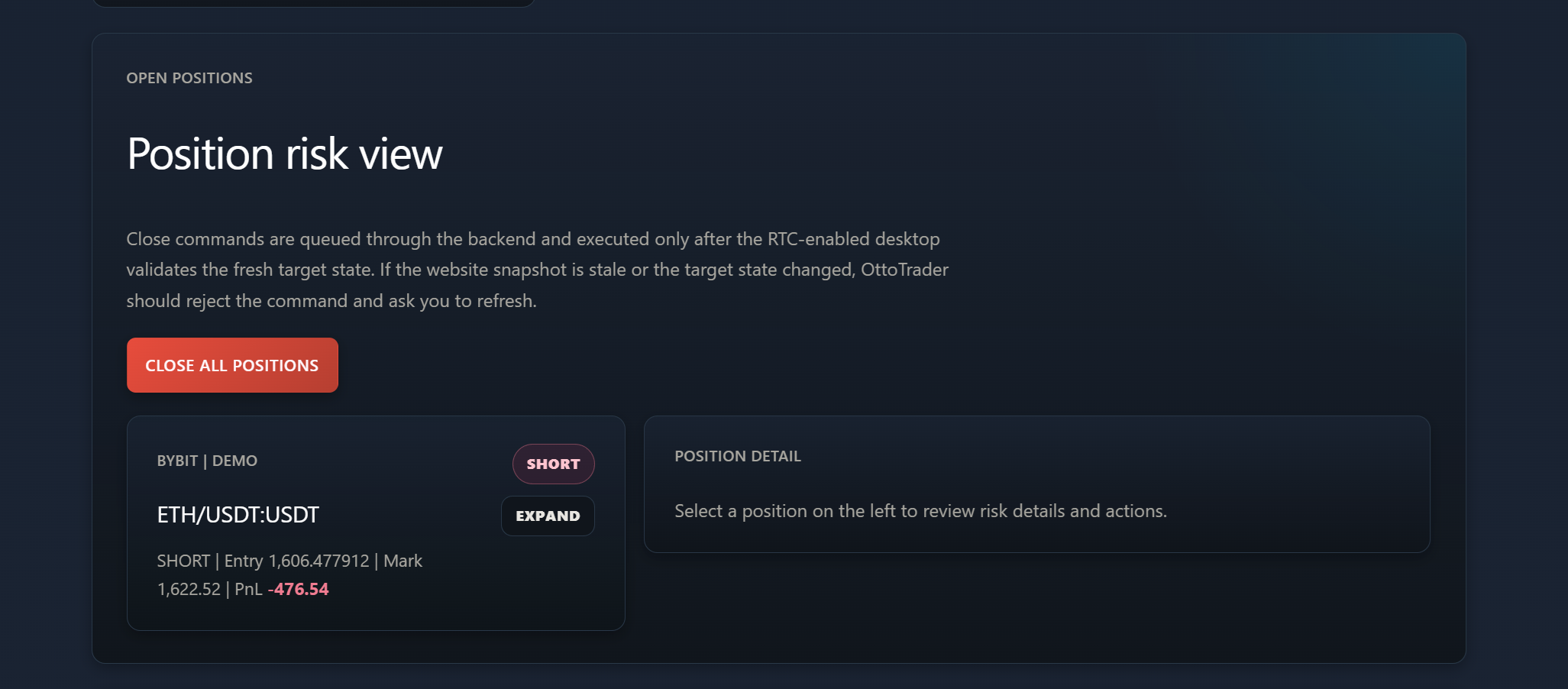
Check from the website whether your desktop is online and fresh, review open positions and running strategies, and request guarded actions such as stop, resume, or close. The website queues the request; your own desktop validates local state and executes it, so you can respond without moving exchange keys into a browser.

Lifecycle

Build, validate, operate, and monitor with clear boundaries.

Strategy work begins in the desktop lab, moves through validation, and only reaches Demo or Live Real after the user confirms the context and risk.

01

Build

Create strategies in Strategy Warehouse using the Visual Builder, Code Builder, imported OttoTrader JSON, or AI-assisted workflows.

02

Validate

Run manual backtests or broader automation research with fee, slippage, spread, funding, liquidation, Monte Carlo, walk-forward, and overfit assumptions where supported.

03

Operate

Use the desktop Live Trading workspace for Trade Setup, Chart, Active Strategies, Open/Closed Positions, and Demo or Live Real execution contexts.

04

Monitor

Use Dashboard and Remote Trading Center to review state, freshness, risk, and guarded commands while the desktop remains the final validator and executor.

Trust boundary

Local-first where it matters.

Exchange credentials and live execution stay on the desktop. The website coordinates account access, downloads, marketplace ownership, billing, seller workflows, tutorials, and guarded Remote Trading Center commands.

Website

Account portal

Account, pricing, billing, downloads, marketplace, tutorials, seller workflows, Market Pulse, and Remote Trading Center companion access.

Backend

Account truth

Entitlements, ownership, update manifests, seller state, RTC command records, backups, and account truth.

Desktop

Execution workstation

Exchange keys, AI provider keys, strategy state, backtesting, Demo, Live Real validation, and execution control.

Why it feels different

Built for traders who want to understand what they are running.

OttoTrader does not stop at automation. It helps you see the strategy logic, the research evidence, and the live controls in one place.

Most tools

Many hosted trading tools sell automation first.

OttoTrader

OttoTrader starts with a desktop strategy workstation for building, validation, monitoring, and controlled operation.

Most tools

Many AI trading tools blur idea generation, signal claims, and execution.

OttoTrader

OttoTrader treats AI output as a reviewable draft that must match product rules and pass local validation.

Most tools

Many backtesting pages stop at one attractive equity curve.

OttoTrader

OttoTrader keeps the research story visible: validation windows, sensitivity checks, realistic assumptions, reports, and live risk state.

Explore OttoTrader

Choose the next thing you want to understand.

Start with the full workflow, security model, pricing, or setup guidance depending on what you need to feel confident.

Account system

One account connects the website companion and the desktop workstation.

Create one OttoTrader account for dashboard access, billing, downloads, protected marketplace ownership, seller tools, tutorials, and desktop sign-in.