
DraftAI-assistedRulesContract checkedTrustValidate first
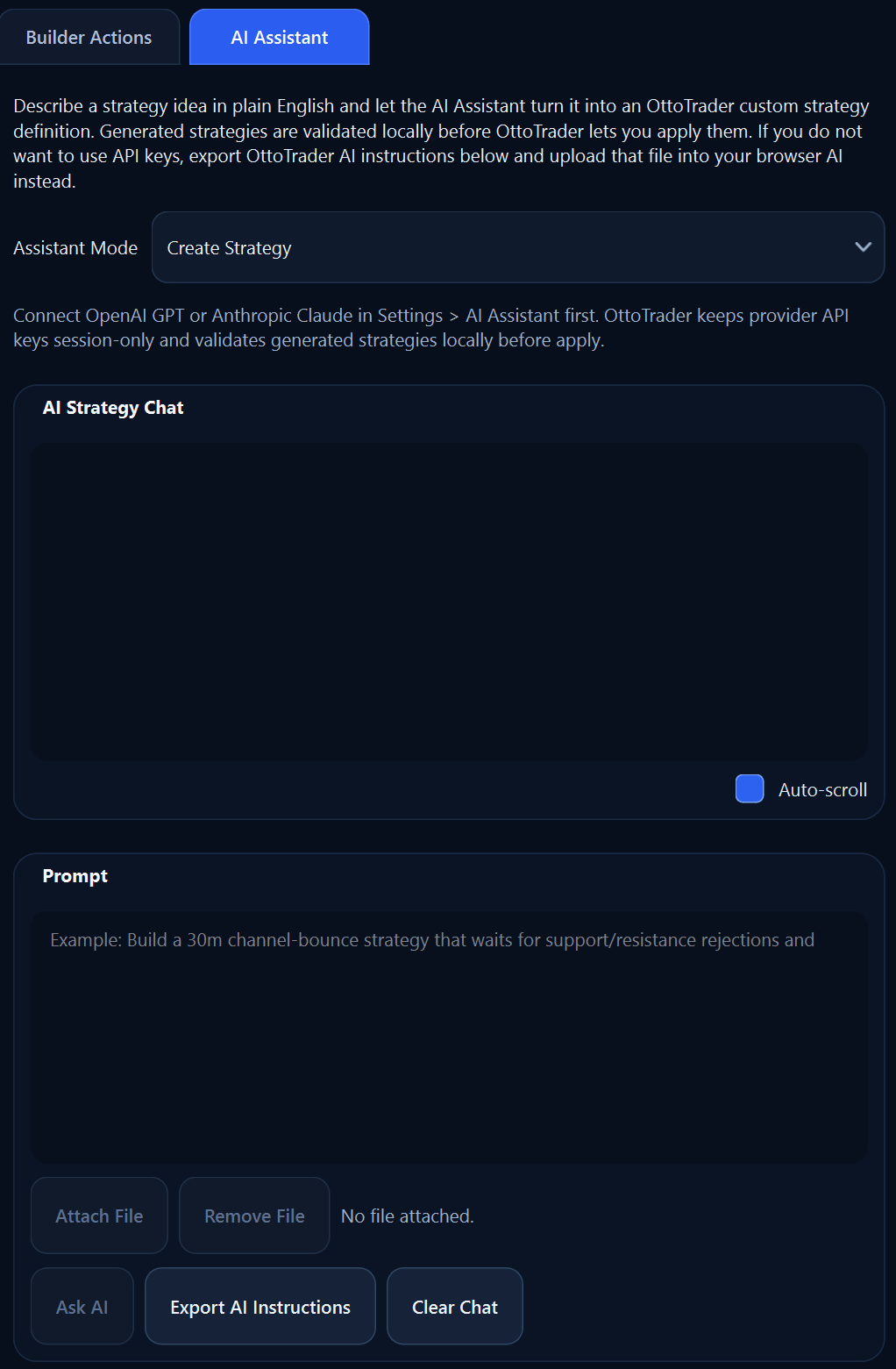
Use AI to turn plain-English strategy ideas into OttoTrader-ready drafts, then validate locally before anything can become part of your trading workflow.
OttoTrader uses AI to reduce blank-page friction, then routes every draft back through product rules and local validation.
Start with the entry idea, risk behavior, exit logic, and what the strategy must avoid.
Use your provider API key in the desktop app or export OttoTrader instructions for a browser AI session.
The draft returns as OttoTrader strategy JSON, not as a black-box signal that skips the product contract.
Builder checks, backtesting, Demo review, and your approval still decide whether the idea earns attention.
AI is a tool in the workflow. It is not the operator.Choose the AI path that fits your comfort level. Either way, the output still returns to OttoTrader for review.
Connect supported OpenAI or Anthropic keys in the desktop app when you want OttoTrader to call the provider directly.
Prefer not to connect keys? Export OttoTrader instructions, use them in a browser AI session, then import the JSON result.
The assistant helps draft and revise, but generated strategies still need to match OttoTrader's supported strategy contract.
Describe the setup, the risk behavior, and the conditions that should block a trade.
The assistant formats the idea into OttoTrader JSON that the builder can inspect.
The desktop app checks the contract before the strategy can be applied or tested.
{
  "lifecycle": "bar_close",
  "entry": "compression_breakout",
  "risk": "fixed_tp_sl",
  "status": "needs_local_validation"
}The assistant is strongest when it accelerates drafting while OttoTrader keeps execution, validation, and protected strategy boundaries explicit.
AI does not choose exchange accounts, secretly change live settings, or turn a prompt into capital deployment.
Bought protected strategies expose only buyer-safe metadata, permitted tunables, and allowed explanations.
AI drafts still need review, validation, Demo work, and the user's decision before Live Real operation.
Unsupported fields, invented modes, invalid payloads, and generic trading JSON are rejected or repaired before anything can be applied. AI can suggest the draft, but local product rules and validation decide whether it is usable.
OttoTrader keeps AI useful by making generated strategies pass through the same evidence-building workflow as any other idea.